Learn to build kicks, snares, toms and hi-hats from scratch, by ear, with Sketi. Then take them further in Vital, a free synth.
Requires the full version of Syntorial. Don’t have it yet?
What’s in the course
- 10 sections, 28 lessons
- 8 scored sound design challenges in Syntorial’s own synth, plus 4 On Your Own lessons with 11 drums to make yourself
- 6 advanced video lessons in Vital, a free synth, ending with crash and ride cymbals
- 18 videos, about 1 hour 40 minutes in all
- 10 quizzes, its own progress bar, the Drum Artisan and Drum Alchemist milestones, and a certificate signed by Sketi
- Subtitles, lesson descriptions and quizzes in English, French, German, Spanish and Japanese
- The whole Kick Drum section is free to try
How it works in Syntorial
Drum Synthesis is a separate course inside Syntorial, with its own lessons, progress and certificate. You switch to it from Home, the same way you’d switch to Remakes.
In the first four sections, you watch a short video for each drum, then recreate the sound by ear on Syntorial’s synth and get scored, just like The Essentials. It uses controls you already know. If a lesson leans on something from The Essentials you haven’t done yet, it lists those lessons, and a Back to Drums button brings you straight back when you finish.
The advanced sections move to Vital, a free synth you download separately. These are longer videos you follow along with, not scored challenges, and they go further: pitch sweeps you draw by hand, comb filters, and two cymbals that only appear here.
Needs Syntorial 2.3.600 or later, a free update from your online account.
Lesson by lesson
The four basic drums, in Syntorial’s synth
1. Kick Drum (free)
- Kick Drum: How a kick drum is built from a sine wave, with a fast drop in pitch for the punch and a short amp envelope that keeps it from ringing on like a bass.
- Kick Drum Cut and Clarity: Adding a noise transient that helps a kick cut through a mix, and how the waveform underneath changes its mid-range.
- Quiz 1, then On Your Own 1: two kicks to make on your own.
2. Snare Drum
- Snare Drum: How a snare is built from a blast of noise, with the filter giving it a pitched tone and an oscillator underneath adding body.
- Snare Drum FX: Using unison, distortion and reverb to make a snare wider, punchier and roomier, and how far each can go before the snare loses definition.
- Quiz 2, then On Your Own 2: three snares to make on your own.
3. Toms
- Toms: Why a tom starts from a triangle wave rather than a sine, and how a long pitch sweep and a darkening filter take it from tight to wide open.
- Toms Tone, Polyphony and Velocity: Fuller, more aggressive toms from a pulse wave, extra overtones from a second oscillator, and toms that overlap and respond to how hard you play.
- Quiz 3, then On Your Own 3: three toms to make on your own.
4. Hi-Hats
- Hi-Hats: How hi-hats are built from filtered noise, and how the amp envelope separates a closed hat from an open one.
- Hi-Hats Velocity and FX: Shakers, the trashy hi-hats of techno and house, and hi-hat patterns that respond to how hard you play.
- Quiz 4, then On Your Own 4: a closed hat, an open hat and a shaker to make on your own.
Advanced, in Vital
5. Advanced Kick Drum (about 20 minutes)
- The kick rebuilt in Vital and taken further, with a pitch sweep you draw by hand, effects that change its tone, and macros that reshape it from one knob.
- Quiz 5.
6. Advanced Snare Drum (about 14 minutes)
- The snare rebuilt in Vital, with its loudness drawn by hand, separate filtering for its body and its noise, and velocity that lets it play soft and hard like a real one.
- Quiz 6.
7. Advanced Toms (about 10 minutes)
- The tom rebuilt in Vital from a sine wave you draw yourself, with layered pitch movement and a tone that dulls over time like a real drum.
- Quiz 7.
8. Advanced Hi-Hats (about 12 minutes)
- Hi-hats built around comb filters, which get much closer to the sound of two metal discs than plain noise, with one knob that switches between closed and open.
- Quiz 8.
9. Advanced Crash (about 12 minutes)
- The hardest sound in the pack: a crash cymbal built from comb filters and effects, starting bright and dulling as it rings out.
- Quiz 9.
10. Advanced Ride (about 10 minutes)
- A ride cymbal built from FM synthesis and comb filters, with a bell tone that follows each note and reverb that grows as it rings out.
- Quiz 10.
Try it first
The whole Kick Drum section is free: both scored kick lessons, the quiz and the first On Your Own. In Syntorial, open the Lesson Packs window, pick Drum Synthesis and download it. Not a Syntorial owner yet? The free section also plays in the Syntorial demo.
Your teacher: Sketi
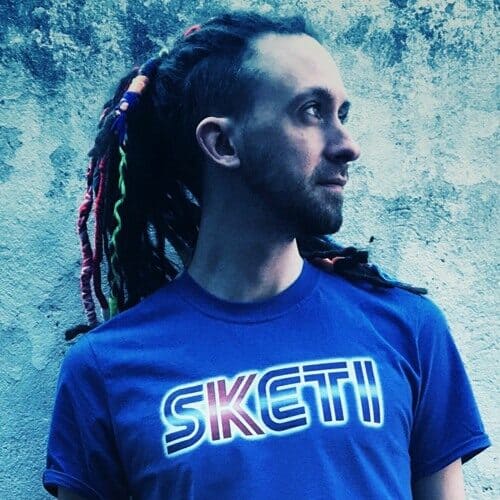
Sketi is a producer, composer, multi-instrumentalist, DJ, mixing and mastering engineer and music teacher. Sketi has more than 200 releases on labels across breaks, dubstep and drum and bass, and now releases independently, from electronic music to tracks with live instrumentation. Find Sketi on YouTube at @SKETIMUSIC.
New to Syntorial?
Drum Synthesis is an add-on for Syntorial, the course that teaches synthesizer programming by ear. You can get both in one order: the checkout offers Syntorial and the pack as a bundle. Get the bundle or try Syntorial free first.
Why is this pack paid?
Charging for new packs lets us bring in new teachers like Sketi and make a lot more of them. The packs you already have (Serum, Massive, Sylenth1, Z3TA+ 2 and Minimoog Voyager) are still included with Syntorial at no extra cost.
Questions
Yes, the full version. Drum Synthesis is an add-on course next to The Essentials, Syntorial’s core course.
Drum Synthesis needs Syntorial 2. Upgrade to Syntorial 2 first, then add the pack.
Only for the advanced sections (5 to 10). Vital is a free synth you download separately. The four basic drums use Syntorial’s own synth.
Kick, snare, toms, closed and open hi-hats and a shaker, plus crash and ride cymbals in the advanced sections. Other percussion, like claps, congas and cowbells, isn’t covered.
No. It’s drum sound design: building the drum sounds themselves. It doesn’t cover playing, sequencing or mixing.
Buy with the email address on your Syntorial account. Then refresh your account in Syntorial (or restart it) and the full course unlocks.
You can buy Drum Synthesis inside the iPad app. If you buy on the website, it unlocks on your iPad too once you sign in.
Yes. Serum, Massive, Sylenth1, Z3TA+ 2 and Minimoog Voyager are still included with Syntorial at no extra cost.
The pack comes with our 30-day money-back guarantee. Contact us on our support page and we’ll give you 100% of your money back.
 English
  日本語
日本語  Français
  Español
  Deutsch