
Recréer le synthé lead du morceau de 1982 appelé "Big Mess" par Devo peut être un défi passionnant pour tout fan de synthétiseurs. Voici comment programmer le patch "Big Mess" lead et jouer ce son iconique sur la plupart des synthétiseurs soustractifs matériels ou logiciels (Serum, Vital, Pigments, Prophet, Korg, Moog, etc.). Nous avons inclus le téléchargement du preset ci-dessous pour plus de commodité, mais nous vous recommandons vivement d’utiliser notre tutoriel de programmation afin de le recréer vous-même sur votre synthé favori.
Le son original
Devo’s song “Big Mess,” from their 1982 album Oh, No! It’s Devo, features a distinctive synth lead that reflects the band’s innovative use of synthesizers during that era. While the specific synthesizer used in the original recording isn’t definitively documented, Devo was known for employing instruments like the Minimoog Model D, ARP Odyssey, and Sequential Circuits Prophet-5 during the early 1980s.
Notre recréation du patch ( Lead ) - démo audio
Cet extrait audio montre à quel point nous avons reproduit le timbre original du synthé lead du morceau "Big Mess" par Devo. Ca vous offre un point de référence pour recréer votre propre preset. Écoutez-le autant que nécessaire pour vous familiariser avec les différentes nuances du son.
La recette
Recréez ce son vous-même
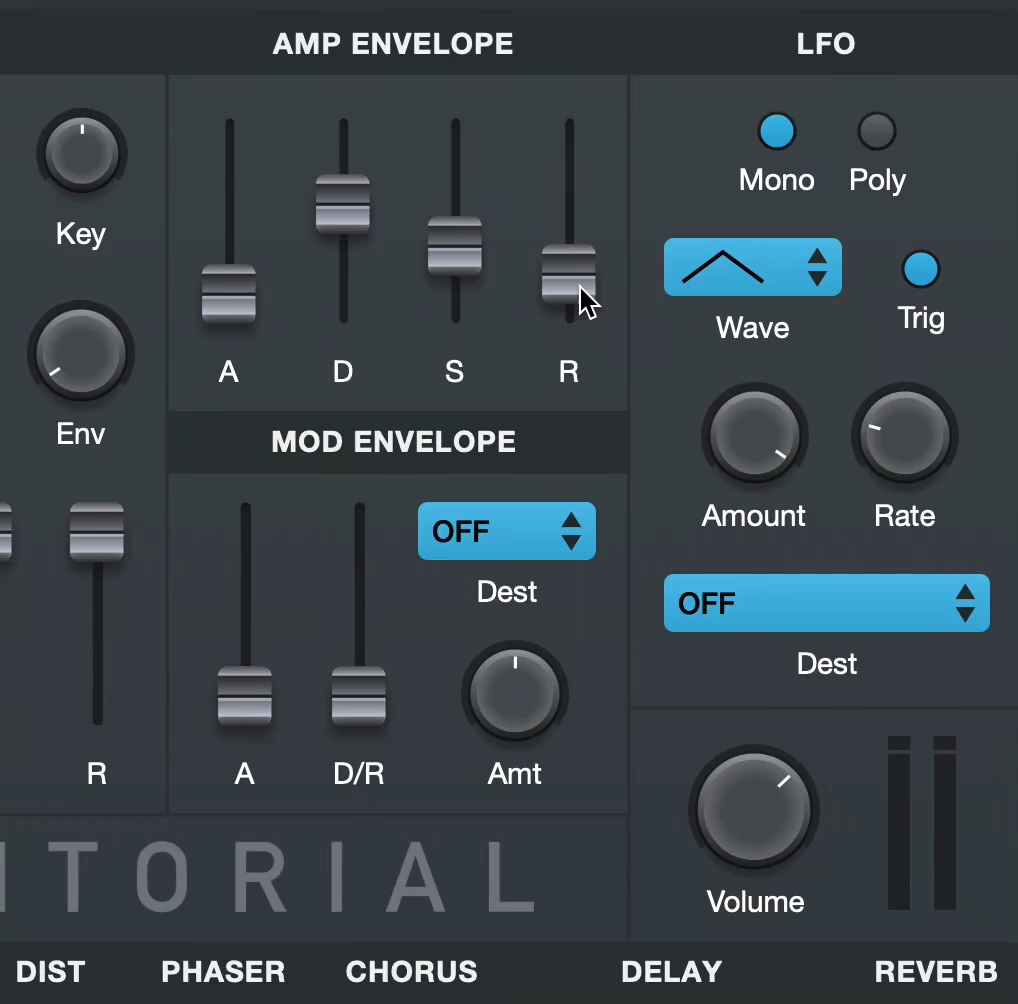
Apprenez à programmer ce preset de synthé entièrement à l’oreille avec Syntorial. Téléchargez la démo et essayez gratuitement un nombre illimité de challenges « sons célèbres ».
Pour commencer
- Commencez par initialiser votre synthé sur une onde en dents de scie sans filtre, modulation ni effets.
- Aucun synthé n’est identique : considérez les valeurs comme approximatives et fiez-vous à votre oreille.
- Les valeurs en pourcentage (par exemple, 50%) représentent la position relative d'un bouton ou d'un curseur sur toute sa plage. La plage de chaque paramètre peut varier d'un synthétiseur à l'autre ; utilisez donc votre oreille.
Voix
- Mode voix: Mono
Enveloppe d'amplitude
- Attaque: 0 ms
- Sustain: 100%
- Release: 20 ms
Oscillateurs
- Oscillateur 1
- Forme d'onde: Pulse
- Longueur d'impulsion: 50%
- Volume: 50%
- Hauteur : +3 cents
- Oscillateur 2
- Forme d'onde: Pulse
- Longueur d'impulsion: 50%
- Hauteur : -3 cents
- Volume: 50%
- Sub-oscillateur
- Forme d'onde: Pulse
- Longueur d'impulsion: 100%
- Hauteur : -1 octave
- Volume: 45%
- Réinitialiser la phase de tous les oscillateurs au déclenchement de la note : Yes
Filtre
- Type : Passe-bas
- Cutoff : 75%
LFO
- Destination: Filter Cutoff
- Forme d'onde: Dents de scie
- Intensité : 35%
- Fréquence: 1/8 Note
- Trigger: On
Remarque : les réglages peuvent légèrement différer dans le challenge de Syntorial.
Notes et observations
Starting with the Basics: The Saw Waveform
Begin with the most fundamental element—the saw waveform. We’ll be changing this waveform in a bit, but it’s a great universal starting point for any patch.
Modulating the Sound: LFO and Cutoff
Once you have your plain saw waveform, the next step involves modulation. Use a Low Frequency Oscillator (LFO) to modulate the cutoff frequency of the sound. Start by switching your LFO waveform to saw and increase the speed to introduce that repeating-note effect. Carefully adjust the cutoff frequency and the LFO amount so that the modulation starts at the brightest point and only brings it down about halfway through the frequency range.
Changing the Waveform: Medium Pulse
After getting the modulation right, switch the waveform from a saw to a medium pulse wave. This change adds a somewhat hollower and more videogame-like character to the sound.
The Smearing Effect: Doubling and Detuning
To give the sound that smeared, thick quality, you’ll need to double it and apply a slight detune. This moves the sound away from a solid stagnant timbre, and introduces a soft-textured pulsation.
Adding Depth: The Sub Oscillator
Finally, to add some weight to the sound, bring in a sub oscillator set to a square wave. This underpinning layer enriches the synth lead, providing a solid bottom end that will carry the lead and give it a full-bodied presence.
By following these steps, you can create a synth lead that not only emulates the Devo “Big Mess” sound but also gives you a foundation on which to build your own unique synth sounds. Experimentation is key, and as you become more comfortable with these techniques, you can start tweaking and adding your own personal touch to make it truly your own.
Pour aller plus loin
Téléchargement des presets
Pas le temps d’apprendre la programmation de synthés ? Utilisez notre preset comme point de départ puis ajustez-le. Créez un compte Audible Genius et téléchargez gratuitement les presets pour les synthés suivants :
- Primer, notre synthé VST gratuit
Commentaires
Cette recette est issue d’une demande de recréation de preset par la communauté Syntorial. Besoin d’aide pour recréer ce son ? Des commentaires ?
Rejoindre la discussion (en anglais)